



 13th August 2026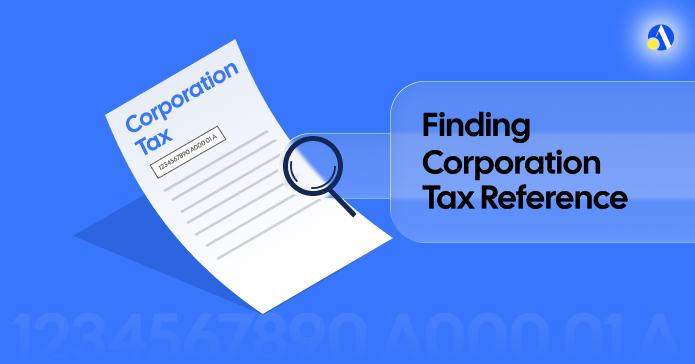
Quick answer: Your corporation tax reference number is a 10-digit number (also called a company UTR) issued by HMRC. You can find it on any HMRC letter, in your HMRC online account, or by calling the HMRC Corporation Tax helpline on 0300 200 3410. It stays the same for the life of your company. Your 17-character corporation tax payment reference, however, changes every accounting period.
Key Takeaways
| What you need to know | The answer |
| What is the corporation tax reference number? | A 10-digit number (UTR) issued by HMRC to identify your company for Corporation Tax |
| Where do I find it? | HMRC letters, your HMRC online account, or via your accountant |
| Does it change each year? | No, the UTR stays the same. The payment reference changes every accounting period |
| Is it the same as my company UTR? | Yes, they are the same number |
| Is it the same as my CRN? | No, your Company Registration Number is issued by Companies House and is different |
| HMRC Corporation Tax helpline | 0300 200 3410 (Mon–Fri, 8am–6pm) |
Most companies have at least four different tax reference numbers and mixing them up is one of the most common causes of delayed Corporation Tax payments. Before you send a single penny to HMRC, make sure you're using the right one.
Here's everything you need to know.
What is a Corporation Tax Reference Number?
Your corporation tax reference number - also called your company UTR (Unique Taxpayer Reference) or HMRC COTAX reference - is a 10-digit number assigned to your limited company by HMRC when it registers for Corporation Tax.
It looks like this: 1234567890
HMRC uses this number to identify your company for all Corporation Tax matters, including filing your Company Tax Return, making payments, and any correspondence. Think of it as your company's tax identity, permanent, unique, and assigned to you for the lifetime of the business.
One thing to clear up immediately: your corporation tax reference number is not the same as your Company Registration Number (CRN). Your CRN is issued by Companies House when you incorporate. HMRC issues your UTR separately, typically arriving by post within three weeks of your company being formed.
How Do I Find My Corporation Tax Reference Number?
There are four reliable ways to track it down.
1. Check any letter from HMRC
Your 10-digit UTR appears on every piece of correspondence HMRC sends you - notices to file, payment reminders, penalty notices. If you've ever had a letter from HMRC about Corporation Tax, the number will be right at the top.
2. Log in to your HMRC online account
Sign in to your HMRC Business Tax Account at gov.uk. Once you're in, navigate to the Corporation Tax section and your UTR will be displayed there.
3. Ask your accountant
If someone else handles your Corporation Tax return, they'll have your UTR on file. Without it, they wouldn't be able to file on your behalf. At Debitam we are trusted for over 26,000 businesses across the UK, keeping their records, including company tax reference numbers.
4. Request it from HMRC directly
Lost it entirely? You can request your Corporation Tax UTR online via HMRC's dedicated service and HMRC will send it to your registered office address. Alternatively, call the HMRC Corporation Tax helpline on 0300 200 3410 (Monday to Friday, 8am to 6pm). Have your company name, CRN, and registered office address ready. Note: HMRC advisers cannot give you your 17-character payment reference over the phone - only your UTR
What Is the 17-Character Corporation Tax Payment Reference Number?
This is where most people get confused - and where mistakes happen.
Your corporation tax payment reference is a separate 17-character code that you must use whenever you pay your Corporation Tax bill. Unlike your UTR, this reference changes every accounting period. Using last year's reference - especially if you've saved HMRC as a payee in your online banking - will delay your payment being allocated to the correct period.
The format looks like this: 1234567890A00101A
Here's how it breaks down:
| Segment | Example | What it means |
| First 10 digits | 1234567890 | Your company UTR |
| A001 | A001 | Fixed Corporation Tax identifier |
| 02 | 01, 02, 03… | Your accounting period number (increases by 1 each year) |
| A | A | Fixed suffix |
According to GOV.UK, using the wrong corporation tax payment reference can delay your payment. HMRC may also allocate it to the wrong accounting period entirely — which creates a bigger administrative headache than most directors want to deal with.
Is My Corporation Tax Reference Number the Same Every Year?
Yes. Your 10-digit UTR stays the same for the entire life of your company. From your first year of trading to your last, that number doesn't change.
Your 17-character corporation tax payment reference is different every year. It updates each accounting period, with the period number incrementing by one (01, 02, 03, and so on). Always double-check this before making a payment.
Is Corporation Tax Reference the Same as My Company UTR?
Yes, your corporation tax reference number and your company UTR are the same 10-digit number. HMRC uses these terms interchangeably.
However, your company UTR is not the same as your personal UTR. If you also file a Self Assessment tax return as a director, HMRC assigns you a separate personal UTR for that purpose. The two are distinct and cannot be used in place of each other.
How Can I Find My Corporation Tax Reference Number Online?
Here's the step-by-step process for finding both your UTR and your payment reference through your HMRC online account:
To find your Corporation Tax UTR:
- Sign in to your HMRC Business Tax Account at gov.uk
- Use your Government Gateway user ID and password. See where to find your government gateway user ID and password here.
- Navigate to the Corporation Tax section
- Your 10-digit UTR will be displayed in your account details
To find your 17-character Corporation Tax payment reference:
- Sign in to your HMRC Business Tax Account
- Select 'View Corporation Tax statement'
- Click 'Accounting periods'
- Select the correct accounting period you are paying for
- Your 17-character payment reference will be shown
If your company hasn't yet set up an HMRC Business Tax Account, you'll need to register via Government Gateway before you can access these details online.
UK Company Reference Numbers: A Quick Guide
Limited companies juggle several different reference numbers. Here's a summary so you never mix them up:
| Reference | Issued by | Format | Changes? |
| Corporation Tax Reference / UTR | HMRC | 10 digits - 1234567890 | Never |
| Corporation Tax Payment Reference | HMRC | 17 characters - 1234567890A00101A | Every accounting period |
| Company Registration Number (CRN) | Companies House | 8 digits - 01234567 (England/Wales) | Never |
| VAT Registration Number | HMRC | 9 digits - GB123456789 | Rarely |
| PAYE Reference Number | HMRC | 123/AB45678 | Never (unless scheme changes) |
TL;DR on How do I find my corporation tax reference number
- Your corporation tax reference number is your 10-digit company UTR, issued by HMRC after incorporation
- Find it on HMRC letters, in your HMRC online account, via your accountant, or by requesting it from HMRC online
- It never changes for the life of your company
- Your 17-character payment reference is different - it changes every accounting period and must be updated each time you pay
- HMRC's helpline is 0300 200 3410 (Mon-Fri, 8am-6pm) - but they cannot provide your payment reference number over the phone
Let Debitam Handle This For You
Getting your corporation tax reference wrong is an easy mistake. Getting your Corporation Tax return wrong is a costly one, especially now that late filing penalties have increased and HMRC's free filing portal closed in April 2026.
Debitam handles your Corporation Tax return from start to finish. No hidden fees, no last-minute surprises, and a dedicated accountant who knows your numbers. We'll make sure you're using the right references, filing on time, and not paying a penny more than you owe.
Get in touch with Debitam today
Frequently Asked Questions about How do I find my corporation tax reference number
Where exactly is my corporation tax reference number on an HMRC letter?
Your 10-digit UTR appears at the top of any letter from HMRC relating to Corporation Tax, usually labelled "Tax Reference" or "Unique Taxpayer Reference." It will be on your notice to file a return, payment reminders, and any penalty notices.
What happens if I use the wrong corporation tax payment reference when paying HMRC?
According to GOV.UK, using the wrong 17-character payment reference can delay your payment being allocated to the correct accounting period. In some cases, it may be allocated to the wrong company entirely, creating a compliance issue that requires additional time and correspondence to resolve.
Can I find my corporation tax reference number through Companies House?
No. Companies House holds your Company Registration Number (CRN), not your HMRC Corporation Tax reference. Your UTR is held by HMRC and can only be accessed through HMRC correspondence, your HMRC online account, or by contacting HMRC directly.
What should I do if my company has never received a UTR from HMRC?
HMRC sends your 10-digit UTR to your registered office address within approximately three weeks of company formation. If it hasn't arrived, you can request it online via HMRC's official service, or call the Corporation Tax helpline on 0300 200 3410. You'll need your company name, CRN, and registered office address ready.
Is the corporation tax payment reference number the same as the COTAX reference?
These terms are sometimes used interchangeably, but there is a distinction. The COTAX reference broadly refers to HMRC's Corporation Tax system identifier for your company (your 10-digit UTR), while the corporation tax payment reference is the specific 17-character code used when making a payment for a particular accounting period.
How do I find my corporation tax reference if I've lost all my HMRC letters?
Log in to your HMRC Business Tax Account at gov.uk - your UTR will be displayed in the Corporation Tax section. If you haven't set up an online account, use HMRC's online UTR retrieval service or call 0300 200 3410. Your accountant will also have this number if they file on your behalf.
How Do I Find My Corporation Tax Reference Number? <H1> Quick answer: Your corporation tax reference number is a 10-digit number (also called a company UTR) issued by HMRC. You can find it on any HMRC letter, in your HMRC online account, or by calling the HMRC Corporation Tax helpline on 0300 200 34
grade and assess this content in SEO and AEO terms, tell me if it ranks in AI. Imagine its author`s name and picture is uploaded upon publishing, along with last updated date. Then write a strong, solid SEO AEO Meta title, description, image name, image alt tag and url slug.
Audited content structure, identified optimization gaps, formulated metadata enhancements
Audited content structure, identified optimization gaps, formulated metadata enhancements
SEO/AEO Grade: B+ (86/100)
AI/AEO rankability: Strong. This will likely surface in Google AI Overviews and get cited by Perplexity/ChatGPT Search. The quick-answer box, Key Takeaways table, comparison table, and TL;DR are exactly the extraction-friendly formats these engines pull from. FAQ answers are mostly self-contained (good for schema). This is one of your stronger AEO structures - the gap is entirely in linking and E-E-A-T signals, not content structure.
What's working
- Quick-answer block right after H1 - ideal for featured snippet + AI Overview capture
- Key Takeaways table = highly extractable, answers the "people also ask" cluster directly
- Reference number comparison table (UTR vs CRN vs VAT vs PAYE) is genuinely useful and AI engines love tabular disambiguation content - this table alone could be a citation magnet
- FAQ section covers real long-tail queries (COTAX reference, lost letters, wrong payment ref) with self-contained answers
- TL;DR at the end is a second AEO extraction point - good redundancy
Fixes needed
- Zero internal links. Biggest gap. Add contextual links to: Self Assessment UTR guide, VAT registration, PAYE reference guide, Company Registration Number/company formation, dormant company, Corporation Tax return service page. This is costing you topical authority and is likely part of your Ahrefs keyword decline - thin internal linking flattens page authority distribution.
- "According to GOV.UK" has no hyperlink. Cite claims like this should link out to the actual gov.uk source - unlinked citations don't carry E-E-A-T weight and won't get picked up as an authoritative reference by AI crawlers the same way.
- No author byline/credentials in-body (noted - added at publish, factored in).
- No visual asset referenced - the comparison table is a strong candidate to also exist as an image/infographic for Pinterest/LinkedIn repurposing, not just HTML.
- Meta title/description not yet optimised for the primary keyword variant "UTR" - fixed below.






 for seamless and stress-free
