



 13th October 2026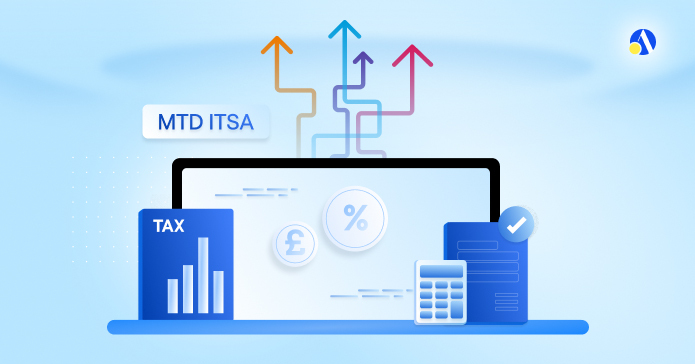
Quick answer: To set up Making Tax Digital for Income Tax (MTD for Income Tax), check your qualifying income against HMRC's thresholds, choose MTD compatible software before signing up, gather your Self Assessment and business details, then sign up through Government Gateway (or via your agent) and link your software to HMRC.
Key Takeaways
| Question | Short Answer |
| Who needs it? | Sole traders and landlords registered for Self Assessment, over the qualifying income threshold |
| When does it start? | Over £50,000 from 6 April 2026, over £30,000 from 6 April 2027, over £20,000 from 6 April 2028 |
| What is qualifying income? | Gross self-employment and property income before expenses (turnover) |
| What do you submit? | Four quarterly updates plus one Final Declaration each tax year |
| Software needed? | Yes, HMRC-recognised software. You cannot submit MTD updates through HMRC's own portal |
| Sign up automatically? | No, not until HMRC started auto-signing up non-responders from September 2026. It's still your job to check |
| Penalties in year one? | No penalty points for late quarterly updates in 2026/27. Points and £200 fines start from 2027/28 |
Here's a fact that catches a lot of people out: from September 2026, HMRC started signing people up to MTD for Income Tax itself, using only the information it already holds on file.
That might sound like a relief, but it isn't necessarily good news. According to GOV.UK's latest update on change of address: "If your circumstances have changed since your last tax return (new income source, different address, new trade), HMRC's version of your details might be wrong, and you'll need to go in and fix it yourself". If you're a sole trader or landlord who's been putting off dealing with MTD for Income Tax, you're not alone. I've sat across the table from plenty of clients who assumed this was something HMRC would sort out for them. It isn't. Getting set up properly, before your deadline rather than in a scramble the week before, makes the whole transition far less stressful.
Here's exactly how to do it.
What Is Making Tax Digital for Income Tax?
Making Tax Digital for Income Tax (MTD for Income Tax) replaces the single annual Self Assessment submission with digital record keeping, four quarterly updates, and one Final Declaration at the end of the year. It applies to sole traders and landlords, not limited companies. If you run a limited company, you're dealing with Corporation Tax rules instead, not this.
| Quarter | Reporting period | Update due date |
| Q1 | 6 April – 5 July | 7 August |
| Q2 | 6 July – 5 October | 7 November |
| Q3 | 6 October – 5 January | 7 February |
| Q4 | 6 January – 5 April | 7 May |
How to Set Up Making Tax Digital for Income Tax: Step by Step
Step 1: Work Out If You Need to Sign Up
Add up your gross self-employment and property income (before expenses) from the relevant tax year. According to GOV.UK (2026), qualifying income is your turnover, not your profit, so don't deduct anything yet.
| Qualifying Income (Gross) | Tax Year Assessed | MTD Start Date |
| Over £50,000 | 2024/25 | 6 April 2026 |
| Over £30,000 | 2025/26 | 6 April 2027 |
| Over £20,000 | 2026/27 | 6 April 2028 |
Step 2: Check for an Exemption
Some people won't need to join, even over the threshold. Exemptions can apply if you're digitally excluded (due to age, disability, location or similar), or if you're a trustee, executor or administrator without a National Insurance number. Some exemptions are automatic, others need an application through GOV.UK.
Step 3: Choose Your Software Before You Sign Up
This is the step most people get backwards. You can't submit MTD updates through HMRC's own website. You need HMRC-recognised software that can create digital records, send quarterly updates, and submit your Final Declaration. Check it supports your specific income sources and your preferred accounting period before you commit.
There are two broad types:
| Software Type | How It Works | Good For |
| All-in-one software | Creates records, sends updates, submits your return | People who want everything in one place |
| Bridging software | Connects spreadsheets you already use to HMRC's system | People who don't want to change their existing workflow |
Step 4: Gather Your Information
Before you sign up, have the following ready:
- Your Government Gateway user ID and password (the same ones from Self Assessment)
- Your business start date, or the date you started receiving property income, if within the last two tax years
- The tax year you'll start using MTD for Income Tax
- If you're a sole trader: your business name, address, and the nature of your trade
If you have more than one income source, you'll need to check and sign up each one individually. There's no single sign up that covers everything in one go.
Step 5: Sign Up Through Government Gateway
Go to the HMRC sign up service and log in with your Self Assessment credentials.
You must be registered for Self Assessment and have submitted a tax return in the last two years. If you'd rather not do this yourself, your accountant or agent can sign you up on your behalf.
Step 6: Prove Your Identity
You may be asked to confirm your identity using a mobile app that checks your passport or driving licence. Worth noting: In October 2026, HMRC removed the option to prove your identity by answering security questions, so you'll need an alternative such as the GOV.UK ID Check app.
Step 7: Link Your Software and Start Recording
Once you're signed up, connect your chosen software to HMRC. From here, start logging income and expenses digitally. Link your business bank account if your software allows it. It'll save you hours compared with manual entry later.
When to Sign Up for Making Tax Digital?
If your qualifying income for 2024/25 was over £50,000, MTD for Income Tax already applies to you from 6 April 2026. Sign up now rather than waiting for HMRC to do it.
You should still submit a standard Self Assessment return for the tax year before your MTD start date, since you won't have quarterly updates for that earlier year. Volunteers can sign up early too, for the current tax year or the next one, which gives you breathing room to get comfortable before it's mandatory.
What Happens If You Do Not Sign Up for Making Tax Digital?
Sign up automatically?
Not required, but HMRC began auto-signing up mandated non-registrants from September 2026. Its records may be out of date, so check your details.
If HMRC signs you up instead of you doing it, their information might not reflect recent changes to your income sources or circumstances, so you'll likely need to go in and correct it. Ignoring MTD altogether isn't an option if you're over the threshold: you'll still be required to comply, and late tax returns or late payments can trigger penalties even in year one.
What Should I Do If HMRC Has Already Signed Me Up?
If HMRC has signed you up, you still need to choose HMRC-recognised software, link it to HMRC, catch up your digital records from 6 April 2026, and send your quarterly updates. Being signed up by HMRC does not mean you are compliant. Check that your income sources and business details are correct, and apply for an exemption if you qualify.
Can You Do Digital Tax Yourself?
Technically, yes.
Nothing stops you signing up, choosing software and submitting your own quarterly updates. But honestly, this is one of those areas where a good accountant earns their fee.
- Getting your qualifying income calculation wrong,
- Missing a second income source (like side hustle, trade allowance, eBay seller tax), or
- Choosing software that doesn't support your accounting period can all cause headaches down the line.
An accountant can also sign up on your behalf as your agent, handle the HMRC correspondence, and make sure nothing falls through the cracks when deadlines are tight. If your income sources are straightforward and you're confident with digital tools, DIY is possible. If you've got multiple properties, mixed self-employment and rental income, or you simply don't have the time, getting professional support tends to pay for itself.
Do I Need to Register with HMRC for Making Tax Digital?
Yes, and it's a separate step from registering for Self Assessment.
Being registered for Self Assessment doesn't automatically enrol you in MTD for Income Tax. You need to actively sign up through the Government Gateway service, or have your agent do it for you.
HMRC's own auto sign-up (running since September 2026) is not a substitute for checking your details are accurate, so don't assume you're covered just because you haven't heard anything.
How Much Do You Need to Earn to Have to Do Making Tax Digital?
Your qualifying income, meaning gross turnover from self-employment plus property income combined, before any expenses are deducted, needs to be:
- Over £50,000 for the 2024/25 tax year to start from 6 April 2026
- Over £30,000 for the 2025/26 tax year to start from 6 April 2027
- Over £20,000 for the 2026/27 tax year to start from 6 April 2028
Remember, this is turnover, not profit (check out the difference between turnover and profit in basic terms here).
A landlord with £55,000 in rental income and high expenses still counts as over the £50,000 threshold.
Frequently Asked Questions about how to set up for MTD
Does Making Tax Digital apply to limited companies?
No. MTD for Income Tax applies to sole traders and landlords registered for Self Assessment. Limited companies deal with Corporation Tax separately, which has its own rules.
What records does my software need to keep?
It needs to create, store, and let you correct digital records of your income and expenses, send quarterly updates, and submit your Final Declaration by 31 January.
Are penalties different if I sign up voluntarily?
Yes. Volunteers face no penalties for missing quarterly updates while volunteering, but the points threshold for volunteers is lower, at 2 points rather than 4. Once you agree to the new penalty rules on sign up, you can't revert.
Can I keep using a spreadsheet?
Yes, through bridging software, which connects your existing spreadsheet to HMRC's system without forcing you to change how you keep your records day to day.
What if I have more than one business or rental property?
You'll need to sign up and submit updates for each income source separately. Your software may let you manage multiple sources from one dashboard, but each submission is treated individually.
How do I set up Making Tax Digital for Income Tax?
Check your qualifying income against HMRC's thresholds, choose HMRC-recognised MTD software, gather your Self Assessment and business details, then sign up through Government Gateway (or via your agent). Prove your identity if asked, link your software to HMRC and start recording income and expenses digitally.
Who needs to sign up for MTD for Income Tax?
Sole traders and landlords registered for Self Assessment whose qualifying income is over the threshold. That is over £50,000 from 6 April 2026, over £30,000 from 6 April 2027 and over £20,000 from 6 April 2028. Limited companies are not covered.
What counts as qualifying income for MTD for Income Tax?
Qualifying income is your gross turnover from self-employment and property income combined, before any expenses are deducted. It is turnover, not profit. A landlord with £55,000 of rental income and high expenses is still over the £50,000 threshold.
Do I need software for MTD for Income Tax?
Yes. You cannot submit MTD updates through HMRC's own website. You need HMRC-recognised software that can create digital records, send quarterly updates and submit your Final Declaration. Choose it before you sign up and check it supports your income sources and accounting period.
Will HMRC sign me up for MTD for Income Tax automatically?
From September 2026, HMRC began signing up sole traders and landlords who were required to use MTD for Income Tax from 6 April 2026 (qualifying income over £50,000 in 2024/25) but haven't signed up themselves. It uses information it already holds, which may be out of date, so check your details and correct them if needed.
Are there penalties in the first year of MTD for Income Tax?
No penalty points apply for late quarterly updates in 2026/27. Points and £200 fines start from 2027/28. Late tax returns and late payments can still trigger penalties in year one.
Can I set up MTD for Income Tax myself or do I need an accountant?
You can do it yourself if your income sources are straightforward and you're confident with digital tools. An accountant can sign you up as your agent, handle HMRC correspondence and help avoid errors like miscalculating qualifying income, missing an income source or choosing unsuitable software.
TL;DR
- Is MTD for Income Tax mandatory? Yes, if you're a sole trader or landlord whose qualifying income is over the threshold. It isn't optional.
- Check your numbers: Look at your gross turnover (your total income before expenses) and confirm your MTD start date.
- Pick your software first: Choose HMRC-recognised software before you sign up. If you want to keep your spreadsheet, bridging software can connect it to HMRC.
- Get your details ready: Gather your Self Assessment information, such as your UTR and income sources.
- Register: Sign up through Government Gateway or via your agent. If you have more than one business or rental property, each income source needs to be signed up and updated separately.
- Don't rely on auto sign-up: HMRC started auto-signing up non-responders from September 2026, but that's not a safety net. It's still on you to check your details are correct.
- Know your grace period: No penalty points apply for late quarterly updates in 2026/27, but that grace period ends in 2027/28.
Don't Leave MTD Until the Deadline - Let Debitam Do It Today
The quarterly updates aren't the hard part. Leaving it too late is. If you're unsure whether MTD applies to you, which software fits your situation, or how to handle multiple income sources, get it sorted now rather than in a last minute scramble.
We help over 26,000 business owners, self-employed professionals, and contractors across the UK, and we've been rated 4.9 on Trustpilot for 8 years in a row, outperforming other online accountants across +6,200 reviews
Get a custom quote or request a callback and get MTD-ready today.



 for seamless and stress-free
