



 8th September 2026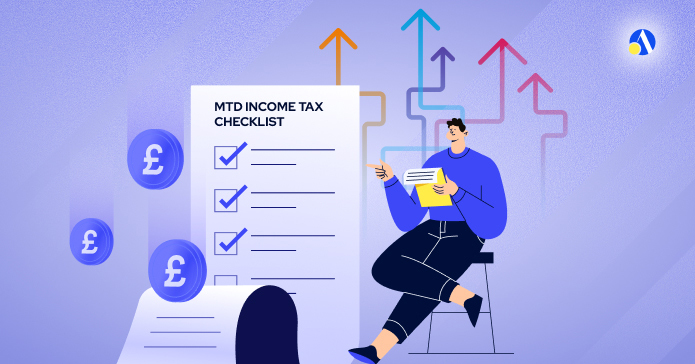
Worried about the switch to Making Tax Digital for Income Tax? You should know that HMRC won't sign you up automatically. It's on you to get ready, and if you miss the deadline, you could face hefty fines.
For sole traders and landlords earning over £50,000, MTD ITSA starts on 6 April 2026. It replaces the annual tax return with quarterly digital updates, and it's not optional.
Feeling overwhelmed? Don't be. This is your step-by-step checklist to get ready for the change, cutting through the noise to tell you exactly what you need to do, and when.
What Is Making Tax Digital for Income Tax?
Making Tax Digital for Income Tax (MTD ITSA) is HMRC's new system for how sole traders and landlords report their income.
Instead of a single annual tax return, you'll use HMRC-approved software to keep digital records and send quarterly updates on your income and expenses. Think of it as four small financial check-ins per year, followed by one final declaration where you confirm your figures and claim any reliefs.
For a full breakdown of how it works and what you need to do, check out our complete MTD for ITSA guide.
Who Needs to Use MTD for Income Tax - and When?
This is where many people get confused. The rollout is phased, and your start date depends entirely on your qualifying income.
What Is Qualifying Income for MTD?
Your qualifying income is your gross total income from self-employment and property — before deducting any expenses. It's not your profit. It's your turnover.
So if you earn £30,000 from freelance work and £25,000 from rental income, your qualifying income is £55,000 — even if your expenses bring your actual taxable profit much lower.
HMRC will assess this based on your most recent Self Assessment tax return. If your income exceeds the relevant threshold, they should write to you — but even if you don't receive a letter, it's still your legal responsibility to check and comply.
Income that does NOT count towards qualifying income:
- PAYE employment income
- Dividends (including from your own company)
- Partnership profit share (as an individual partner)
- State Pension or private pensions
- Income from REITs or Property Authorised Investment Funds
MTD for Income Tax: Start Dates at a Glance
| Qualifying Income (Gross) | Tax Year Assessed | MTD Start Date |
| Over £50,000 | 2024/25 | 6 April 2026 |
| Over £30,000 | 2025/26 | 6 April 2027 |
| Over £20,000 | 2026/27 | 6 April 2028 |
Important: If you've only just started trading or renting, you'll complete your first Self Assessment return as normal. HMRC will then assess your income and write to you with your MTD start date.
Your MTD for Income Tax Checklist (Step-by-Step)
Work through these steps now. Don't leave it until March.
Step 1: Work Out Your Qualifying Income
Add up your gross self-employment income and property income from your 2024/25 tax return. Don't deduct expenses. If the total is over £50,000, your MTD start date is 6 April 2026.
Use HMRC's online tool at GOV.UK to check your eligibility if you're unsure.
Step 2: Understand What You'll Need to Submit
Under MTD for Income Tax, your obligations each tax year are:
- Four quarterly updates — a summary of income and expenses for each quarter
- One Final Declaration — submitted by 31 January, confirming your total income and any additional sources
Quarterly deadlines:
| Quarter Period | Submission Deadline |
| 6 April – 5 July | 7 August |
| 6 July – 5 October | 7 November |
| 6 October – 5 January | 7 February |
| 6 January – 5 April | 7 May |
Quarterly updates are not full tax returns. They're summaries. Your software generates them.
Step 3: Choose MTD-Compatible Software
This is the most important practical step. You cannot use HMRC's own portal to submit MTD updates — you must use recognised third-party software that connects directly to HMRC's systems. Check what the 7 Best Apps for MTD for Income tax are here.
Your software needs to be able to:
- Create, store and correct digital records of your income and expenses
- Send quarterly updates to HMRC
- Submit your year-end Final Declaration
Types of MTD software available:
1. All-in-one software (e.g. Xero, QuickBooks, FreeAgent, Sage) — creates records, sends updates, and submits your tax return. Best if you want everything in one place.
2. Bridging software — connects your existing spreadsheets or accounting tools to HMRC's systems. Good if you're already using Excel and don't want to change your workflow.
3. Free MTD software — some providers offer free or basic plans, though these may have limitations on features. HMRC's software finder tool (GOV.UK) lets you filter by cost, income source, and features to find what suits you.
"HMRC does not recommend any product or software provider." — GOV.UK
Use the GOV.UK software finder tool to search by your specific income type (self-employment, UK property, foreign property) and get a personalised list.
Step 4: Sign Up for MTD
HMRC will not sign you up automatically. You need to do this yourself (or ask your accountant to do it on your behalf).
Before you sign up, make sure:
- You're registered for Self Assessment
- You've submitted at least one Self Assessment return
- You've chosen and authorised your MTD-compatible software
Sign up via GOV.UK using your existing Self Assessment credentials.
One thing to note: In your first year using MTD, you'll still need to submit your previous year's Self Assessment return the traditional way — because you won't have sent quarterly updates for that year yet.
Step 5: Start Keeping Digital Records Now
The sooner you start, the smoother April will feel. Begin logging income and expenses in your chosen software straight away. If you're a landlord with multiple properties, keep separate records for each one. If you're both self-employed and a landlord, you'll need to submit separate quarterly updates for each income type. Check the full list of documents you need to keep if you are self-employed here.
Practical habits that help:
- Snap receipts on the go — most software has a receipt scanning feature built in
- Link your business bank account — automated transaction imports save hours
- Log income weekly — don't leave three months of receipts for update day
Step 6: Check Whether You're Exempt
Some people won't need to comply with MTD, even if their income exceeds the threshold. You may qualify for an exemption if you are digitally excluded — for example, due to age, disability, health condition, or location that makes it unreasonable to use digital tools.
Religious beliefs incompatible with digital record-keeping may also qualify. Check GOV.UK's exemption guidance for full details, or speak with HMRC directly.
To dive deeper into this, check here.
Step 7: Talk to Your Accountant — Now, Not in April!
Accountants across the UK will be swamped as the April 2026 deadline approaches. If you have an accountant or bookkeeper, have the MTD conversation now. Make sure they can support you with your chosen software, and confirm whether they'll be submitting your quarterly updates on your behalf.
If you don't currently work with an accountant, this is a good moment to consider it. Call us now!
What About Making Tax Digital for Landlords Specifically?
Making Tax Digital for landlords works the same way as for any sole trader — the qualifying income threshold applies to your gross rental income, and if you also have self-employment income, both are added together.
A common scenario: you have a PAYE job and you rent out a property. Your PAYE income doesn't count toward qualifying income. But if your rental income alone (before expenses) is over £50,000, you're in scope from April 2026.
If you jointly own a property, only your share of the rental income counts toward your qualifying income.
One thing landlords often miss: if you had an income source that ceased during the tax year but you still have another continuing source of self-employment or property income, the income from the ceased source still counts toward your qualifying income.
What Happens If You Miss a Quarterly Update?
HMRC won't apply financial penalties in the first year (2026/27) for late quarterly submissions. But from 2027/28, a points-based penalty system kicks in. Each missed quarterly update earns you one penalty point. Accumulate four points and you'll receive a £200 fine. Points reset once you've submitted on time for a sustained period.
If you find a mistake after submitting, you don't need to resubmit. Simply correct it in your software and it will be reflected in your next quarterly update.
Key Takeaways
Too busy to read the full post? Here's what matters:
| What | Detail |
| Who it applies to | Sole traders and landlords registered for Self Assessment |
| Qualifying income | Gross income from self-employment + property (before expenses) |
| April 2026 threshold | Over £50,000 in 2024/25 |
| April 2027 threshold | Over £30,000 in 2025/26 |
| April 2028 threshold | Over £20,000 in 2026/27 |
| What you submit | 4 quarterly updates + 1 Final Declaration per year |
| Final Declaration deadline | 31 January (same as now) |
| Software required | MTD-compatible software — mandatory, not optional |
| HMRC will auto-sign you up? | No. You must sign up yourself |
| Penalties | Points-based system from 2027/28; none in first year |
The bottom line: Check your qualifying income, pick your software early, start keeping digital records now, and sign up before your deadline. The quarterly updates are not the hard part — the hard part is leaving it too late.
How Debitam Can Help You Get MTD-Ready
MTD for Income Tax is not complicated once you understand what's expected. But it does require the right setup — the right software, the right records, and the right support.
At Debitam, we've been helping sole traders and landlords navigate HMRC requirements long before MTD became a household term. We're strong advocates of digital tax filing, transparent pricing, and making sure you never get caught off guard by a deadline.
If you're not sure whether MTD applies to you, which software to choose, or how to structure your quarterly updates — your dedicated Debitam accountant can walk you through it. No jargon, no hidden fees, no chasing.
Get in touch with Debitam today and take MTD off your to-do list for good.





 for seamless and stress-free
